

Quality control software · Drawing Intelligence
From drawing to inspection plan.
It balloons the drawing, calculates the tolerances and builds the plan in minutes, without typing a single value.
How it works
From drawing to plan in three steps.
DIMETRIK does the repetitive work. The engineer just reviews and decides.
Load the drawing.
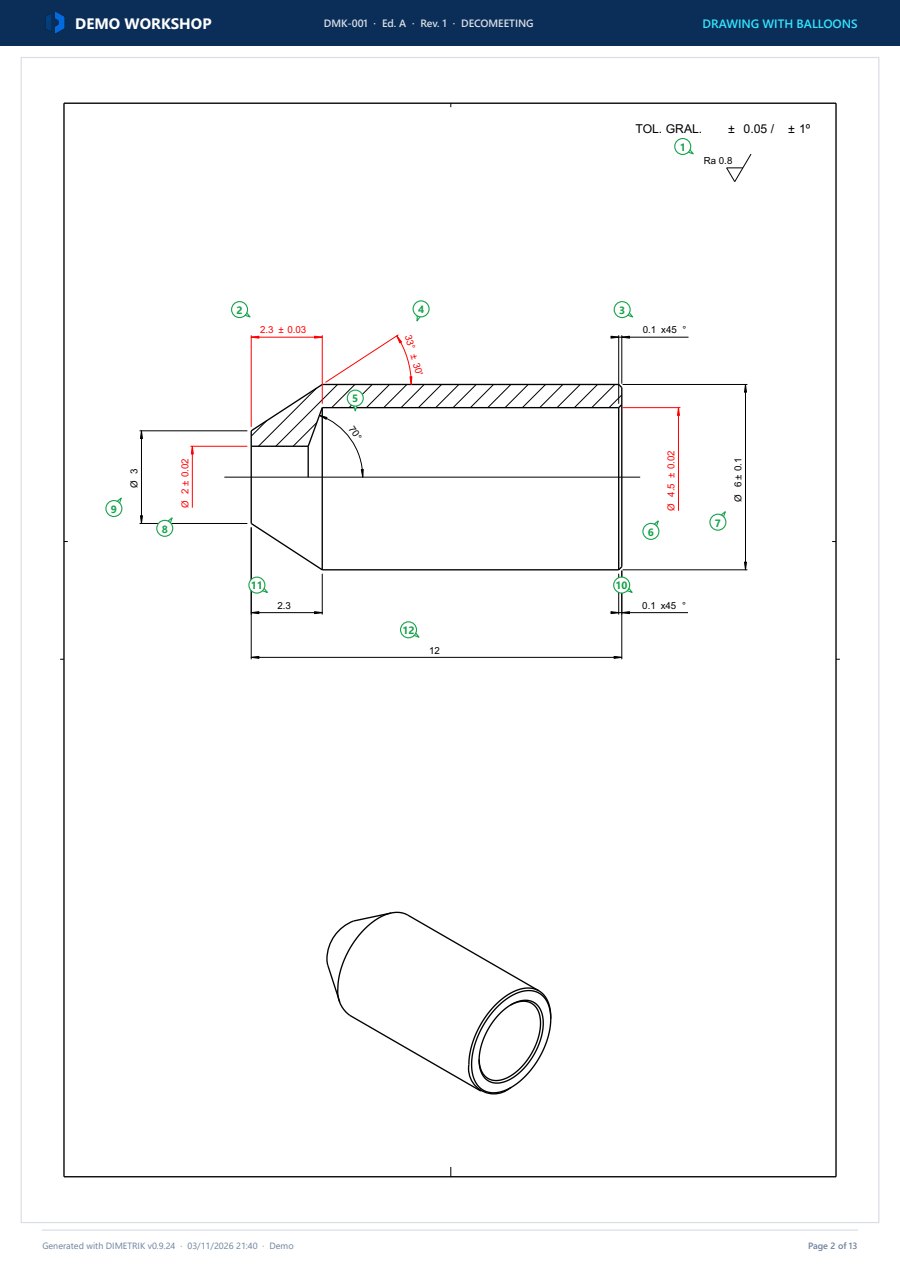
Open the drawing and DIMETRIK balloons it on its own: every dimension with its balloon.
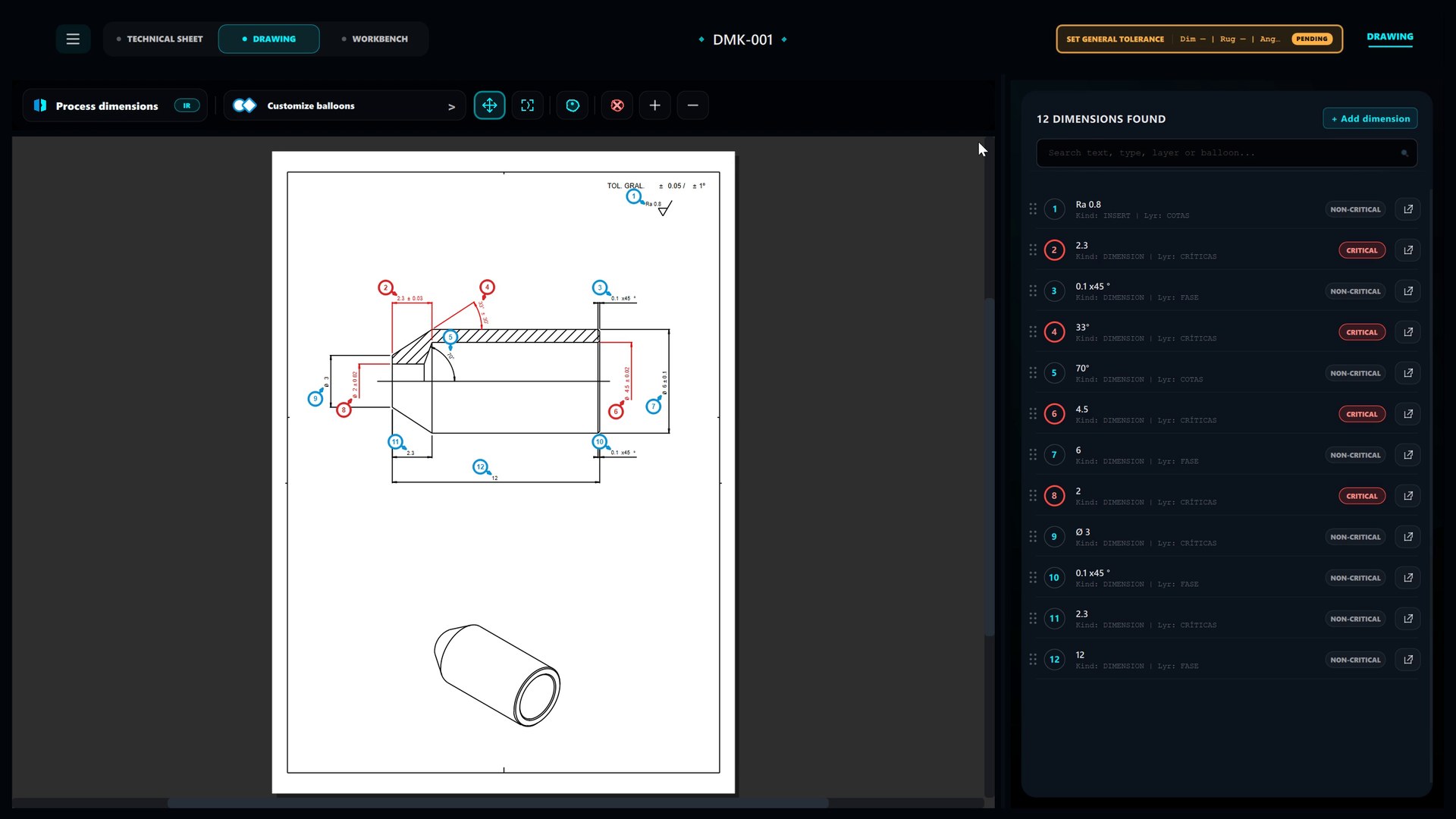
Balloon and calculate.
Tolerances, limits, instruments and critical dimensions in the validation table. Without typing a single value.
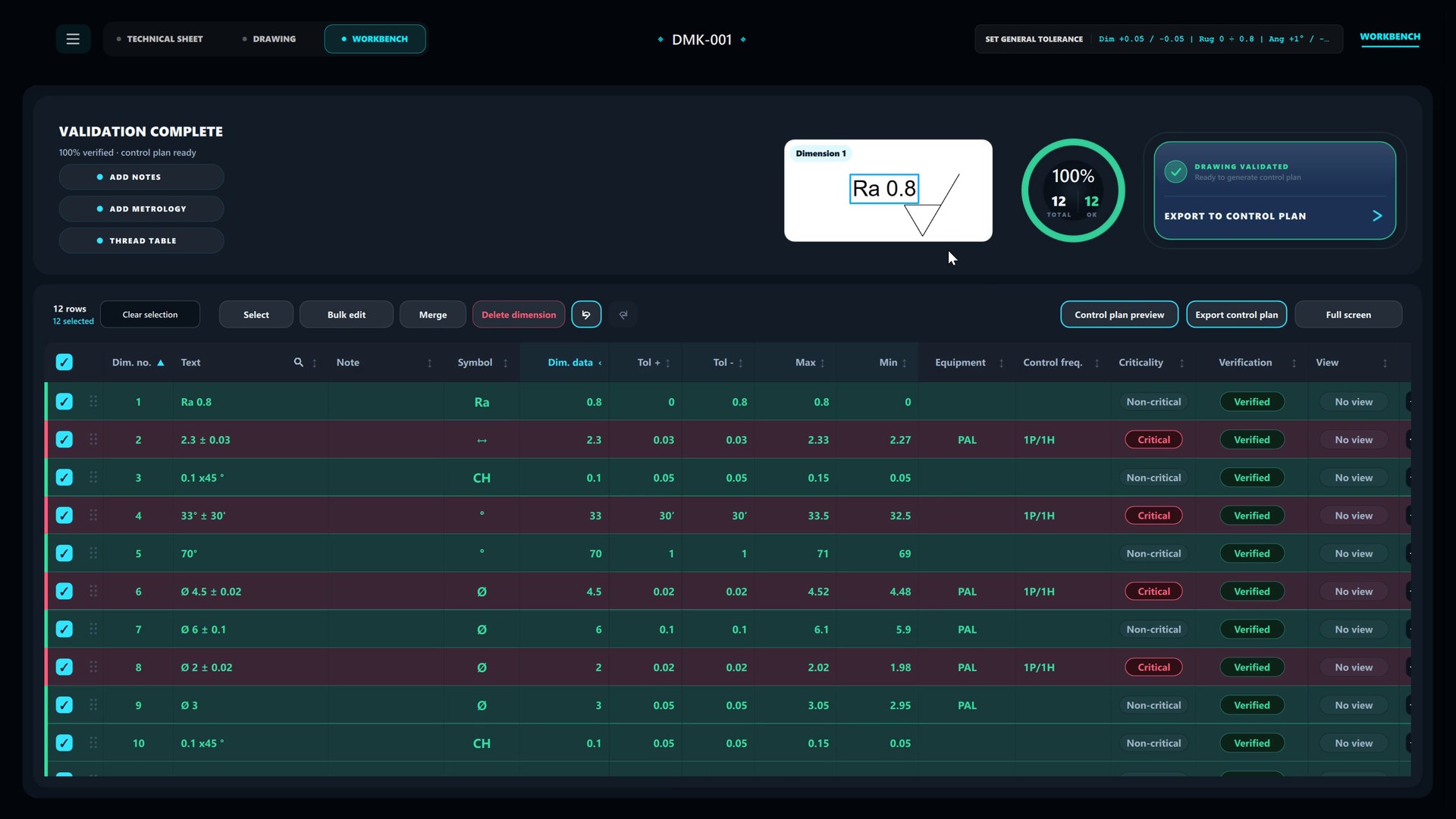
Automatic documents.
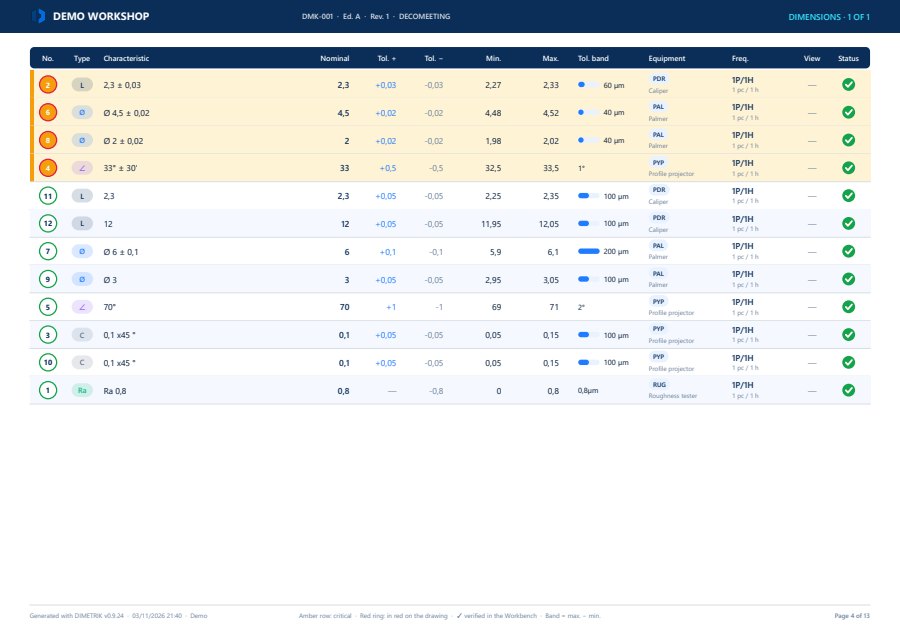
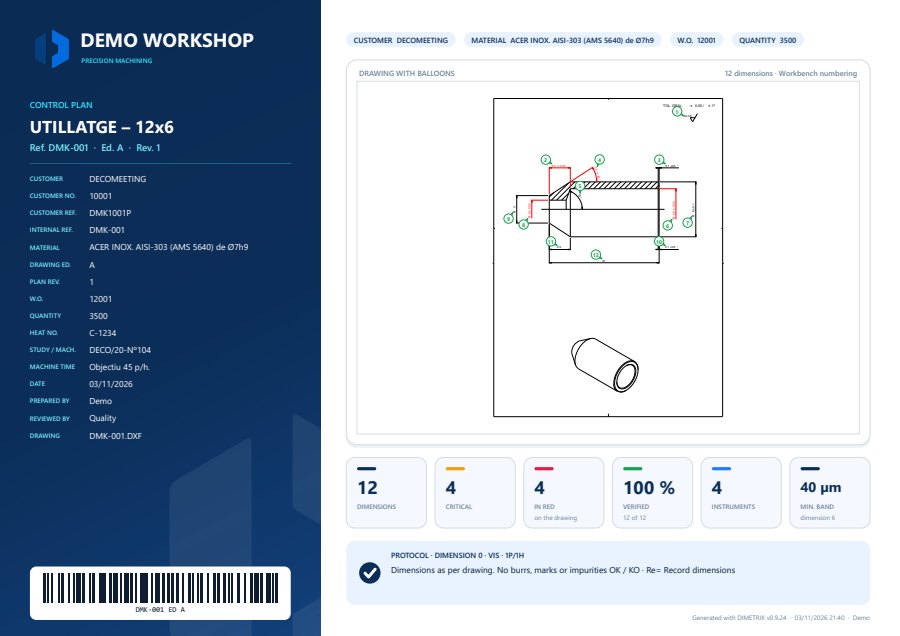
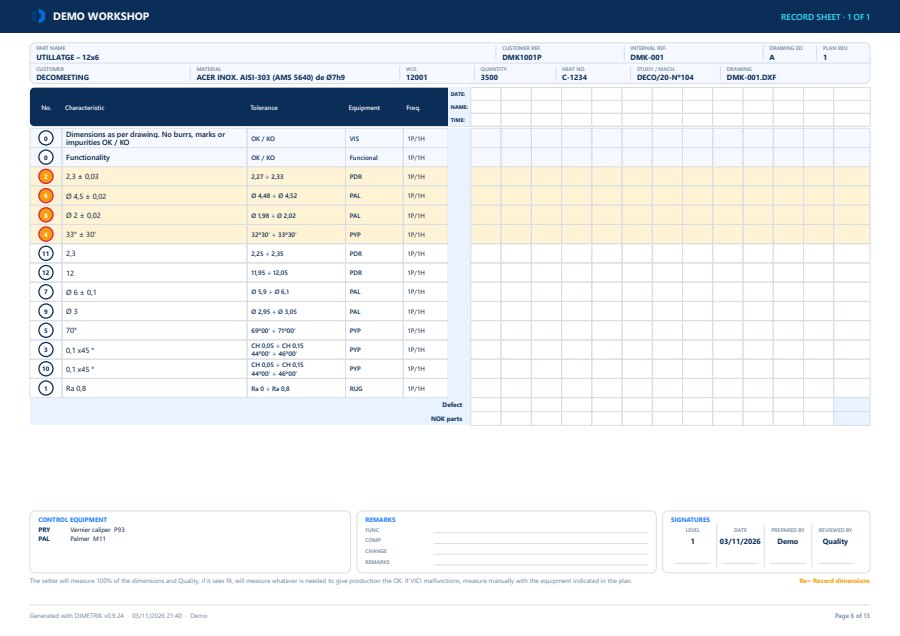
Inspection plan, data sheet, FAI, AQL and ballooned drawing, with your branding, in PDF or Excel.
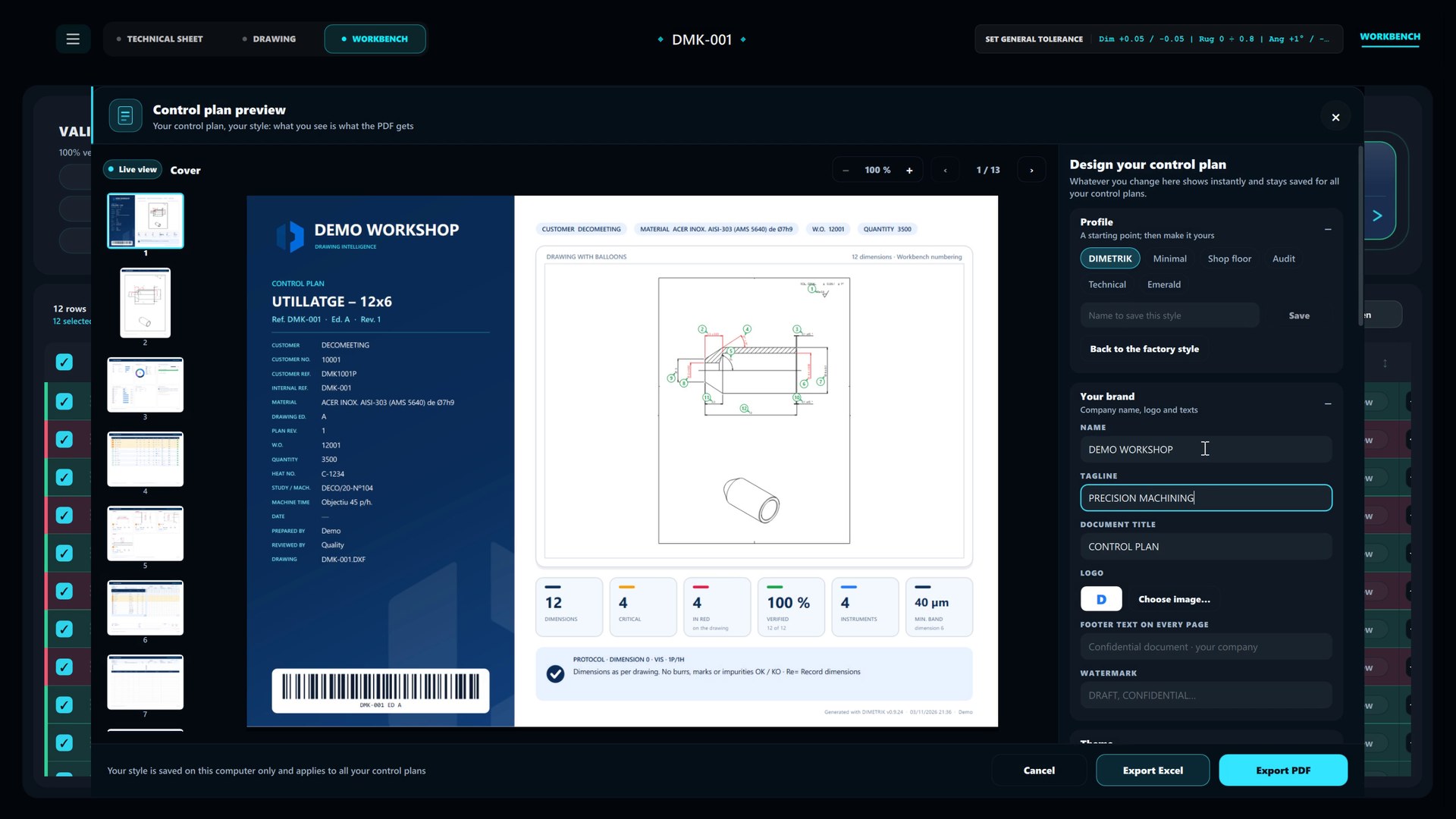
Automation
What DIMETRIK does on its own.
-
Automatic ballooning
A numbered balloon next to every dimension, without covering the text.
-
Limit calculation
Minimum and maximum for every dimension, with ISO 286 fits and threads.
-
Critical dimensions by colour
Those drawn in red are flagged as critical automatically.
-
General tolerances
Dimensions without a written tolerance take the one from the title block.
-
Instruments and frequencies in bulk
Assigned to the whole selection at once, from your metrology catalogue.
-
Data sheet from the work order
References, material, heat number and quantity, read from the work order Word file.
-
Plan in PDF, Excel or your template
With your logo and colours, or filling in your own Excel as is.
-
FAI, AQL and ballooned drawing
The measurement record, AQL sampling and the ballooned drawing, ready for the inspection station.
Two minutes
See how it works.
From drawing to plan with the real program, without cuts.
Demonstration part DMK-001 · 12x6 tooling part · 12 dimensions
Benefits
By hand or with DIMETRIK.
 With DIMETRIK
- 2 ≠ drawing
- 4 ≠ drawing
- 6 ≠ drawing
- 7 ≠ drawing
- 8 ≠ drawing
- 12 ≠ drawing
- 2 2.3 ± 0.03
- 4 33° ± 30'
- 6 Ø 4.5 ± 0.02
- 7 Ø 6 ± 0.1
- 8 Ø 2 ± 0.02
- 12 12
Output documents
What reaches the shop floor.
In PDF or Excel, with your logo, or on your own template.
Cybersecurity
Your drawings never leave your company.
Your customers' drawings are confidential. DIMETRIK works on your own computer, with no cloud, and records who does what.
- No cloud Drawings, projects and plans stay on your computer. Nothing is uploaded anywhere.
- Sealed projects Every project is signed with HMAC-SHA256: any tampering is detected.
- Per-operator access Each session is recorded under the person who runs it. Accounts are stored encrypted.
- Traceability Activity log on the computer and mandatory validation before export.
- Windows 10 · 11
- No administrator rights
- ES · CA · EN
- With your template
Frequently asked questions
What people usually ask us.
Which files does DIMETRIK read?
Drawings in DXF and PDF. The DXF, which can be exported from AutoCAD, SolidWorks and most CAD systems, is read directly from the entities in the file: the result is exact and repeatable. The PDF is read by the AI built into DIMETRIK.
What if I only have the drawing as a PDF?
It loads just like a DXF. When the dimensions are processed, the AI built into DIMETRIK reads the drawing in plain view, area by area, on your own computer: the drawing is not uploaded anywhere. Every dimension is then reviewed and validated in the Workbench before the plan is exported. If you have the source DXF, it is still the fastest and most exact option.
What happens to dimensions it cannot interpret?
Dimensions without a written tolerance take the general tolerance of the drawing. Those that require judgement (threads, surface roughness, angular) are flagged for review by the quality engineer. No dimension reaches the plan without passing validation.
Do the drawings leave the computer?
No. DIMETRIK is a desktop application: drawing, project and plan stay on the user's computer. There is no cloud and no online account, and no connection is needed to work.
Can the company's own inspection plan template be used?
Yes. DIMETRIK fills in the existing Excel template or generates its own plan in PDF and Excel with the company's logo, colours and sections.
What are the requirements?
A PC running Windows 10 or 11. The installer does not require administrator rights and associates .dmk projects with the program.
Which languages is it available in?
Spanish, Catalan and English. It is changed from the settings and applies to the whole interface.
How is it acquired?
DIMETRIK is in beta and is deployed with the support of NEWOPS. The first step is a technical demo on one of the customer's drawings, their inspection plan template and their gauge inventory.
A demo on one of your own drawings.
We show you DIMETRIK on one of your drawings and your inspection plan template.